
 Image 1 of 3
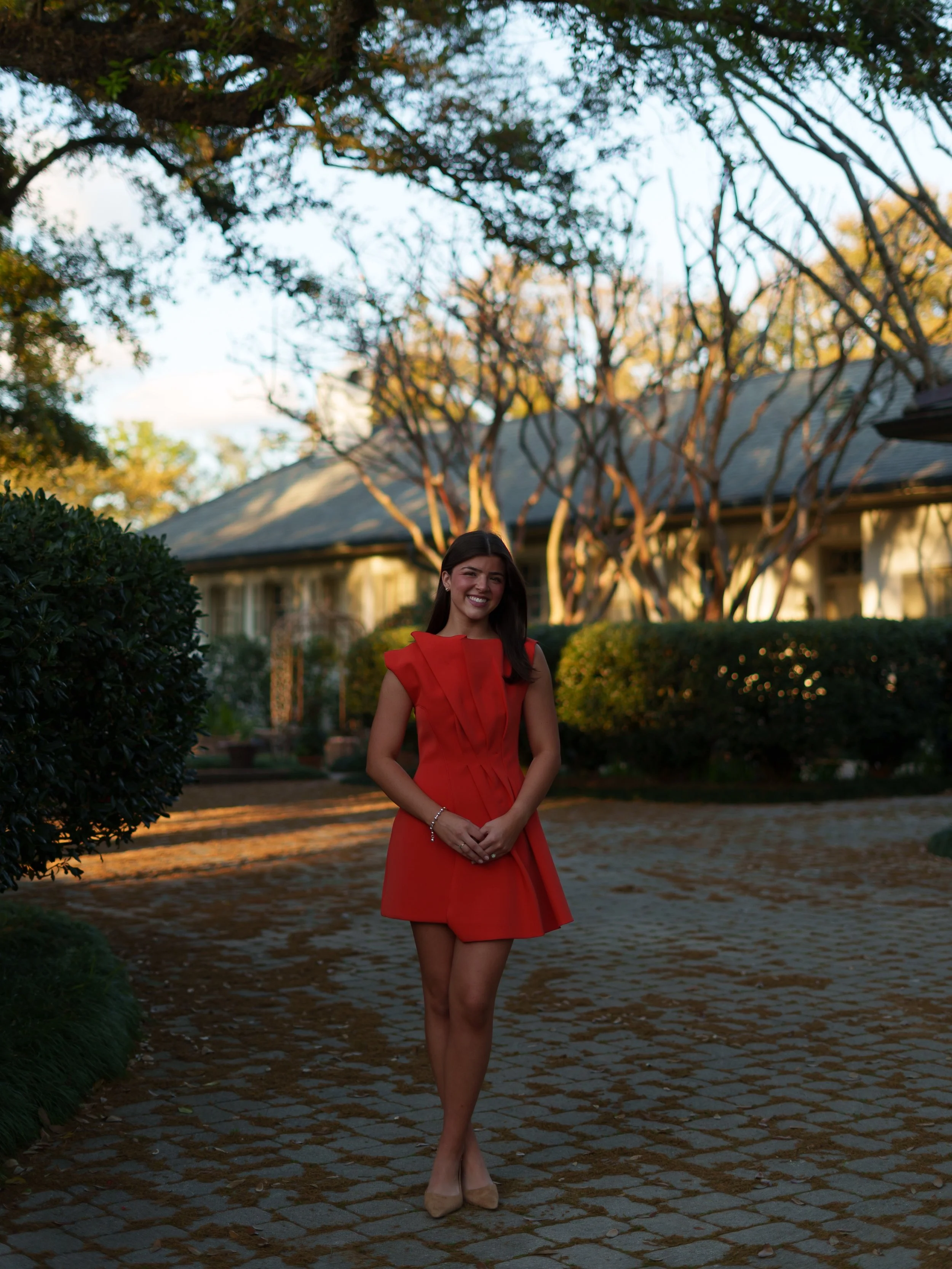 Image 2 of 3
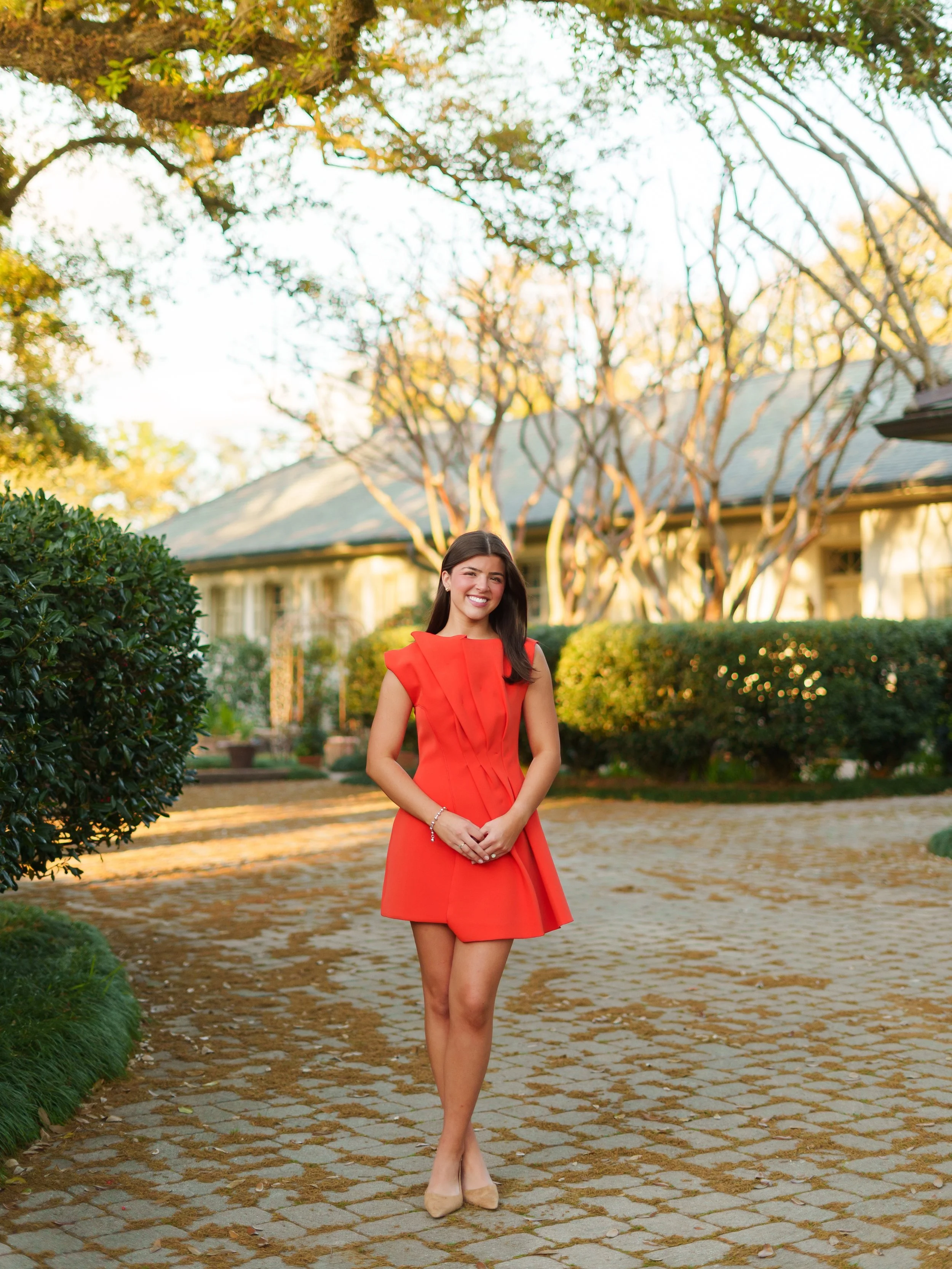 Image 3 of 3
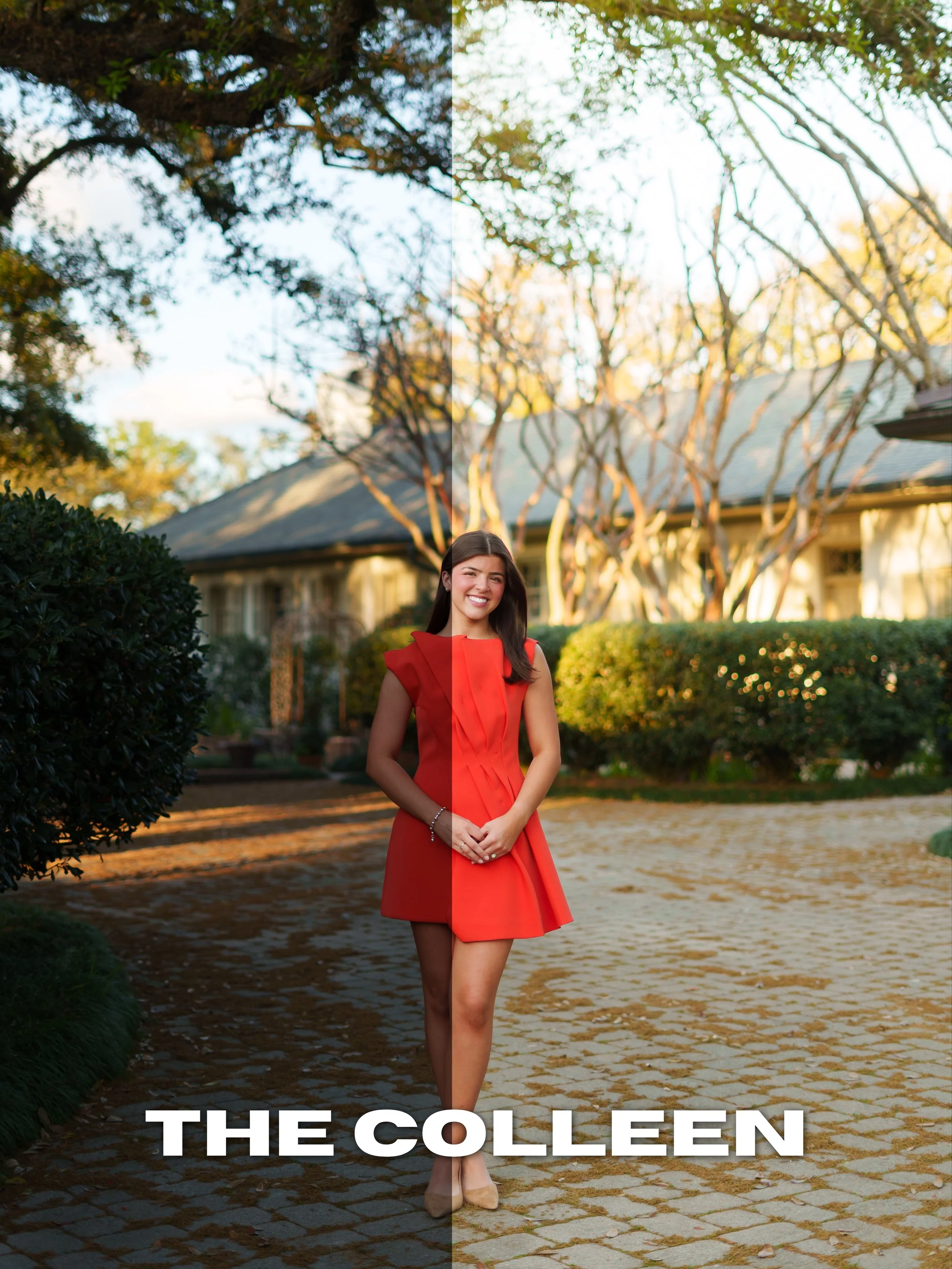
The Colleen preset creates a soft, clean, airy look with natural warmth and subtle depth. Designed for photographers and creators wanting a polished but effortless aesthetic, this preset enhances skin tones while maintaining a bright and dreamy overall feel.
Best used for:
Seniors
Weddings
Couples
Outdoor sessions
Soft natural light
Includes:
Desktop Lightroom Preset (.XMP)
Mobile Lightroom Preset (.DNG)
Compatible With:
Adobe Lightroom Desktop
Lightroom Mobile
Please Note:
Every image is different. Exposure, white balance, and lighting conditions may require slight adjustments after applying the preset.
All sales are final due to the digital nature of this product. All taxes are included in price.
Download and unzip the preset folder.
Open Adobe Lightroom.
Navigate to the Develop tab.
Open the Presets panel.
Click the “+” icon and select “Import Presets.”
Select the included .XMP preset files.
Your presets are now installed and ready to use.
Download and unzip the preset folder on your mobile device.
Open Lightroom Mobile.
Import the included .DNG files into Lightroom.
Open one of the imported preset images.
Tap the three dots in the top corner.
Select “Create Preset.”
Name and save the preset.
Repeat for remaining presets.
Presets work best on RAW images.
Lighting conditions and camera settings may vary.
Minor adjustments to exposure and white balance may still be needed.
The Colleen preset creates a soft, clean, airy look with natural warmth and subtle depth. Designed for photographers and creators wanting a polished but effortless aesthetic, this preset enhances skin tones while maintaining a bright and dreamy overall feel.
Best used for:
Seniors
Weddings
Couples
Outdoor sessions
Soft natural light
Includes:
Desktop Lightroom Preset (.XMP)
Mobile Lightroom Preset (.DNG)
Compatible With:
Adobe Lightroom Desktop
Lightroom Mobile
Please Note:
Every image is different. Exposure, white balance, and lighting conditions may require slight adjustments after applying the preset.
All sales are final due to the digital nature of this product. All taxes are included in price.
Download and unzip the preset folder.
Open Adobe Lightroom.
Navigate to the Develop tab.
Open the Presets panel.
Click the “+” icon and select “Import Presets.”
Select the included .XMP preset files.
Your presets are now installed and ready to use.
Download and unzip the preset folder on your mobile device.
Open Lightroom Mobile.
Import the included .DNG files into Lightroom.
Open one of the imported preset images.
Tap the three dots in the top corner.
Select “Create Preset.”
Name and save the preset.
Repeat for remaining presets.
Presets work best on RAW images.
Lighting conditions and camera settings may vary.
Minor adjustments to exposure and white balance may still be needed.