
 Image 1 of 3
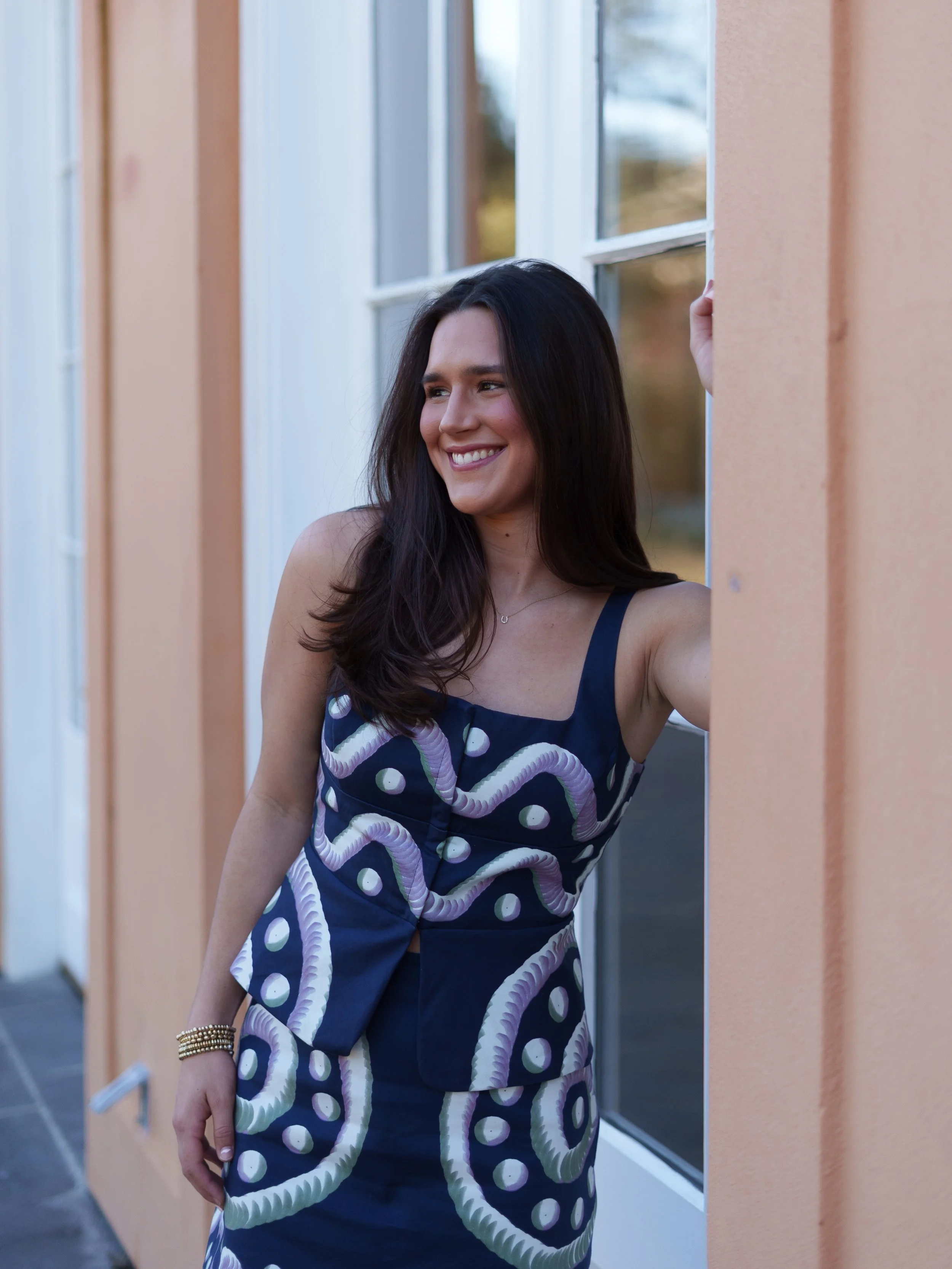 Image 2 of 3
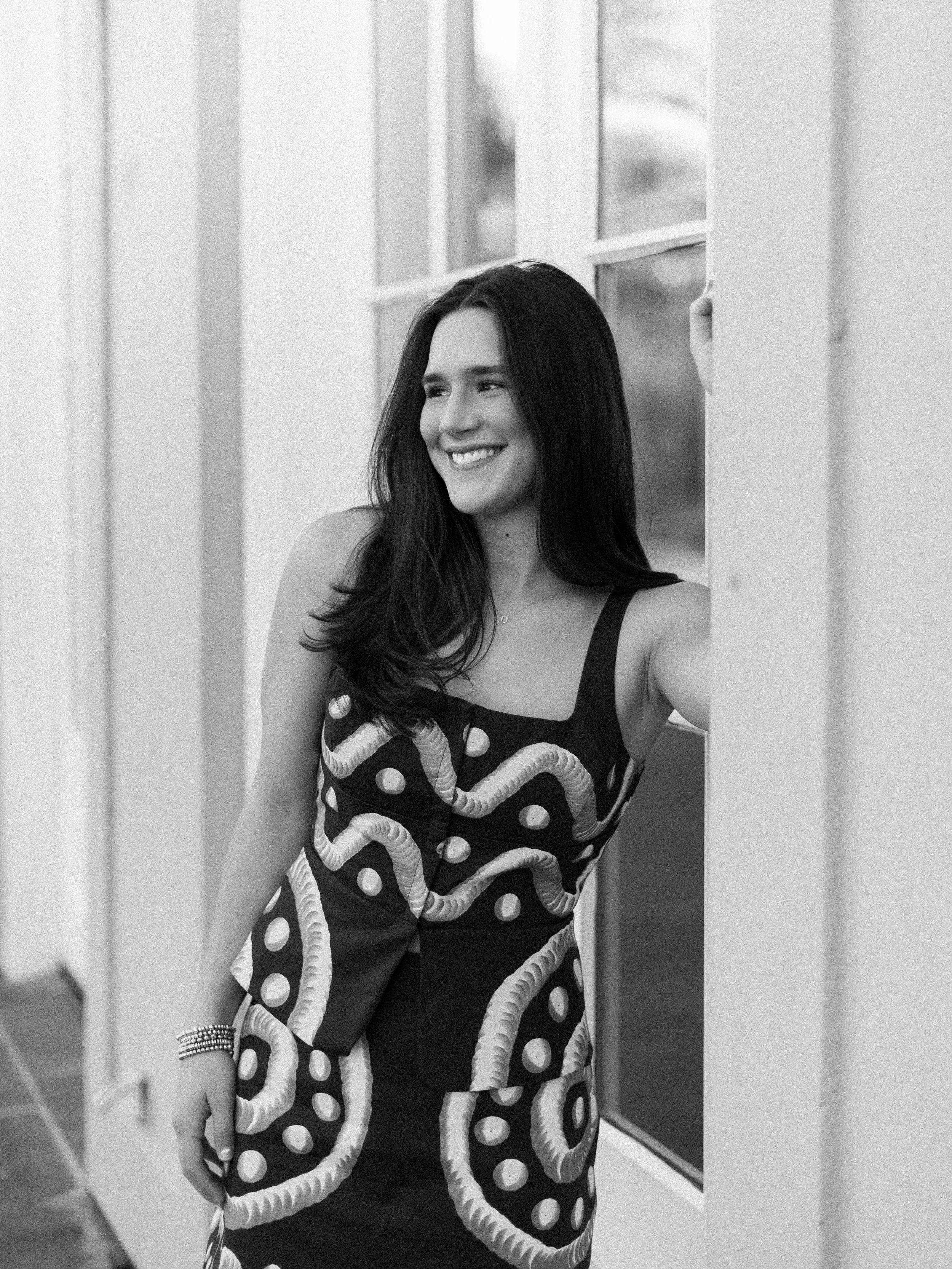 Image 3 of 3
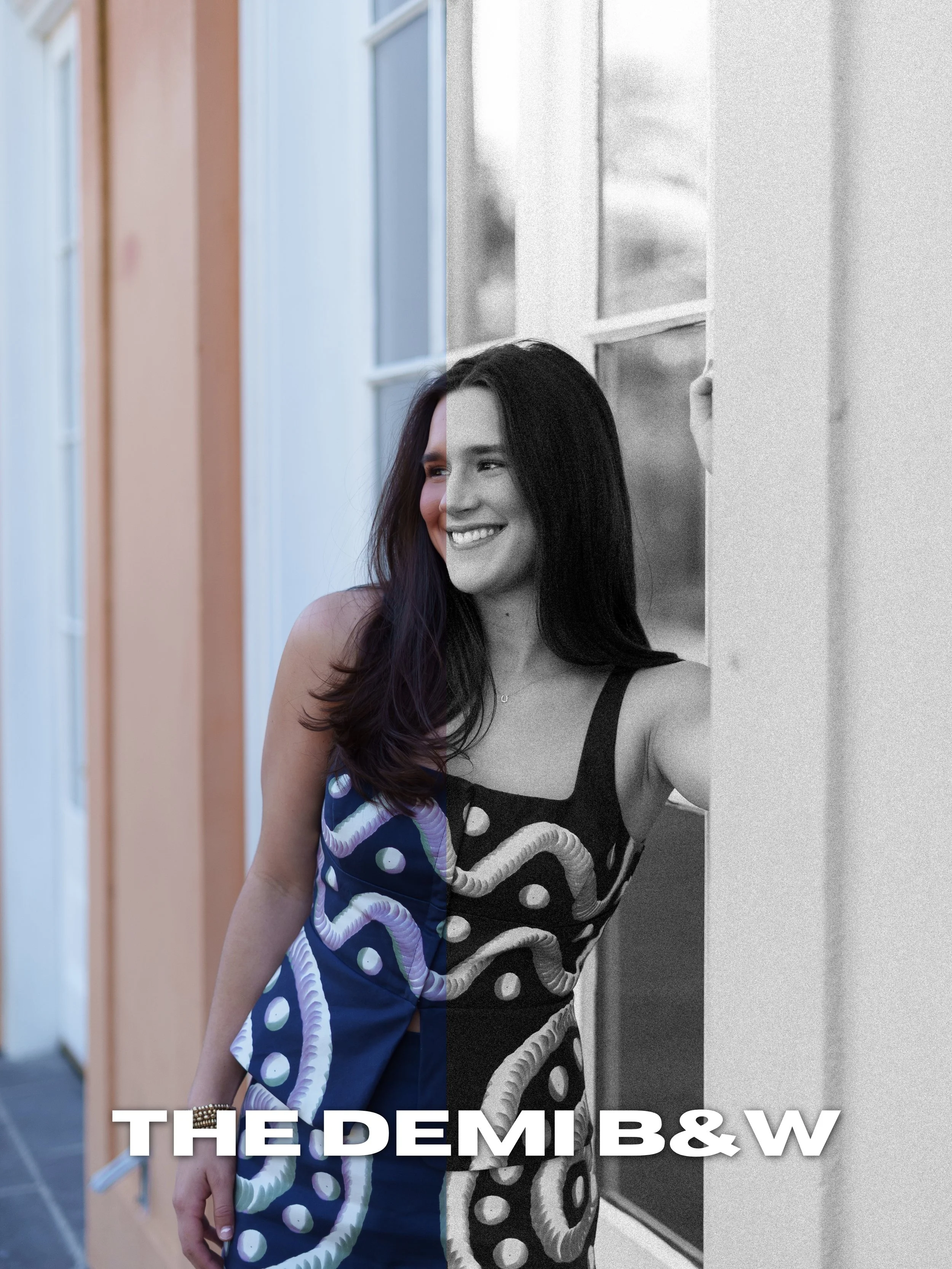
The Demi Black & White preset creates a timeless monochromatic look with soft contrast, film-inspired grain, and rich depth. Designed to give images an emotional and cinematic feel while still keeping skin tones smooth and natural in black and white conversion.
Perfect for:
Editorial portraits
Weddings
Emotional moments
Documentary-style images
Moody storytelling photography
Includes:
Desktop Lightroom Preset (.XMP)
Mobile Lightroom Preset (.DNG)
Compatible With:
Adobe Lightroom Desktop
Lightroom Mobile
Please Note:
This preset works best on well-exposed RAW images. Minor adjustments may still be required depending on lighting and image quality.
All sales are final due to the digital nature of this product. All taxes are included in price.
Download and unzip the preset folder.
Open Adobe Lightroom.
Navigate to the Develop tab.
Open the Presets panel.
Click the “+” icon and select “Import Presets.”
Select the included .XMP preset files.
Your presets are now installed and ready to use.
Download and unzip the preset folder on your mobile device.
Open Lightroom Mobile.
Import the included .DNG files into Lightroom.
Open one of the imported preset images.
Tap the three dots in the top corner.
Select “Create Preset.”
Name and save the preset.
Repeat for remaining presets.
Presets work best on RAW images.
Lighting conditions and camera settings may vary.
Minor adjustments to exposure and white balance may still be needed.
The Demi Black & White preset creates a timeless monochromatic look with soft contrast, film-inspired grain, and rich depth. Designed to give images an emotional and cinematic feel while still keeping skin tones smooth and natural in black and white conversion.
Perfect for:
Editorial portraits
Weddings
Emotional moments
Documentary-style images
Moody storytelling photography
Includes:
Desktop Lightroom Preset (.XMP)
Mobile Lightroom Preset (.DNG)
Compatible With:
Adobe Lightroom Desktop
Lightroom Mobile
Please Note:
This preset works best on well-exposed RAW images. Minor adjustments may still be required depending on lighting and image quality.
All sales are final due to the digital nature of this product. All taxes are included in price.
Download and unzip the preset folder.
Open Adobe Lightroom.
Navigate to the Develop tab.
Open the Presets panel.
Click the “+” icon and select “Import Presets.”
Select the included .XMP preset files.
Your presets are now installed and ready to use.
Download and unzip the preset folder on your mobile device.
Open Lightroom Mobile.
Import the included .DNG files into Lightroom.
Open one of the imported preset images.
Tap the three dots in the top corner.
Select “Create Preset.”
Name and save the preset.
Repeat for remaining presets.
Presets work best on RAW images.
Lighting conditions and camera settings may vary.
Minor adjustments to exposure and white balance may still be needed.